Built for Speed, Designed for Control
PorulHub packs enterprise-grade POS and inventory tracking into a lightweight local app.
Full Keyboard & Dual Layouts
Operate checkout entirely without a mouse. Toggle instantly between touchscreen-friendly Card View grids and rapid-fire barcode-optimized Classic View lists.
GST Compliance & GSP Integration
Seamlessly handle CGST, SGST, and IGST billing. Connects to Government GSP portals to generate official IRS IRN QR Codes directly on receipts.
Secure Local Database
All transaction records and product lists are saved securely on your device. Safe, easy to back up, and ensures 100% data privacy.
Advanced Sales Analytics
Generate reports for daily sales totals, supplier payment ledgers, tax breakdowns, and historical profits. Export directly to beautiful, styled Excel sheets.
Auto-PO & 1-Click Inward
Autogenerate Purchase Orders split by vendor when inventory levels drop below thresholds. Instantly convert distributor invoices or quotes into active stock counts.
Supplier Claims Manager
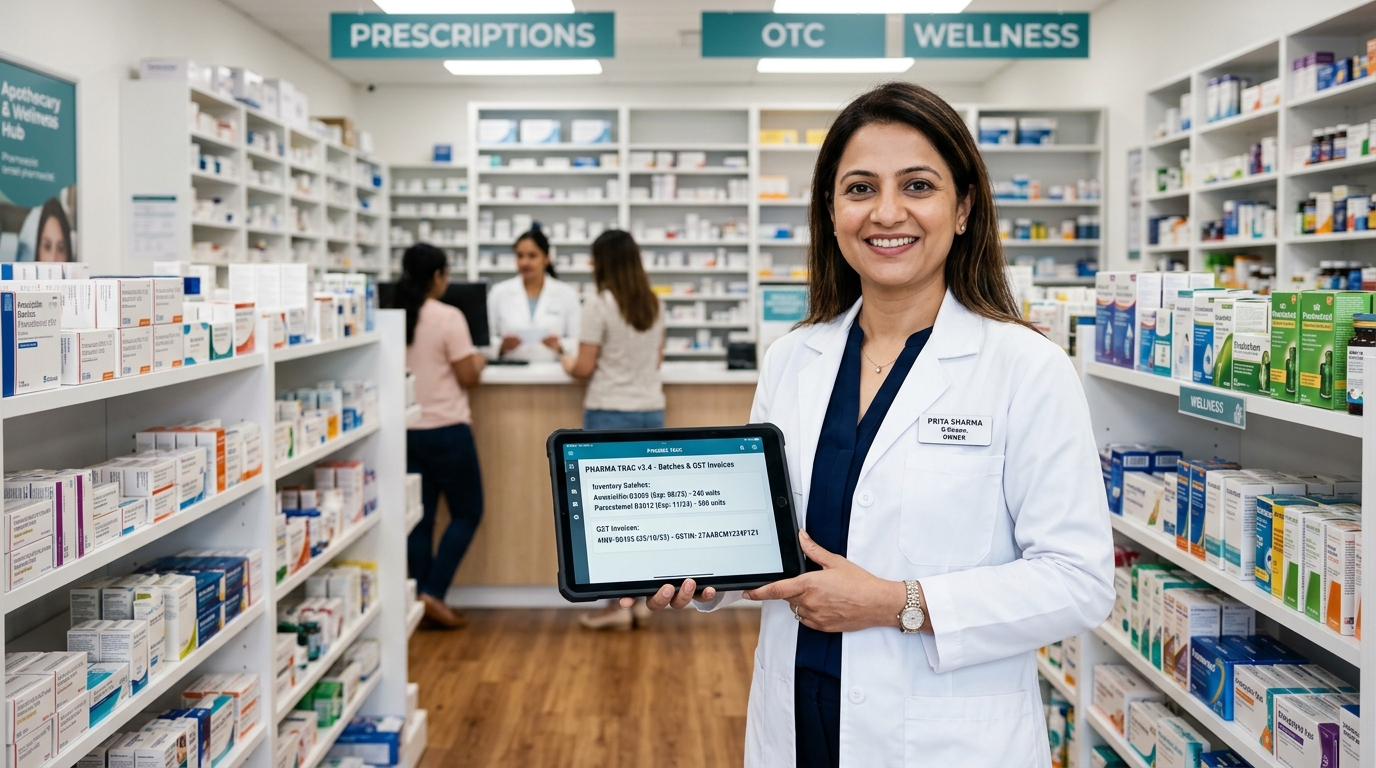
Track expiry-near batches and damaged inventory. Create, sign, and print credit-note matching Debit Notes to recover costs from suppliers in seconds.
Customer QR Ordering & Kitchen KDS
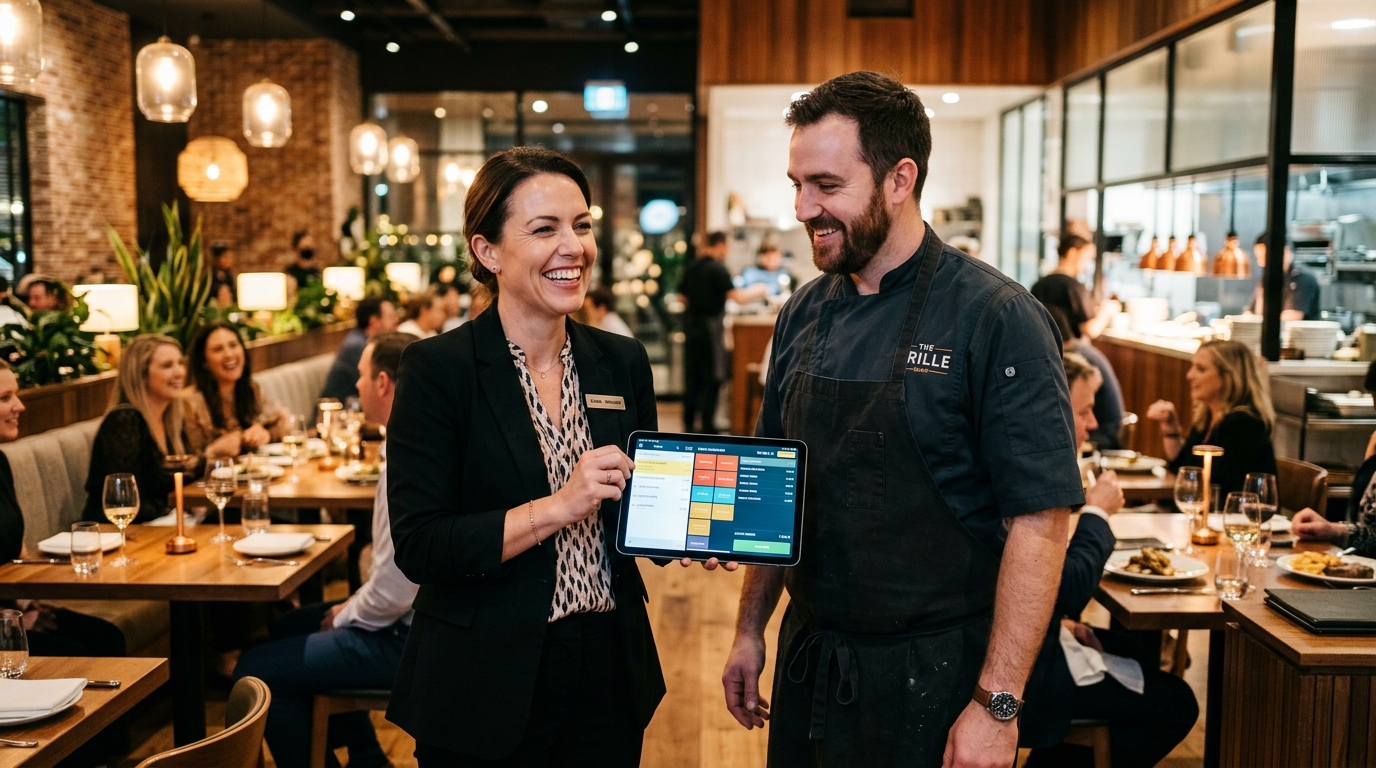
Diners scan table QR codes to browse digital menus with cooking notes. Kitchen Display System (KDS) renders color-coded prep countdown timers, station routing, and audio alerts without cloud lag.
Work Orders & Multi-Level BOM MRP
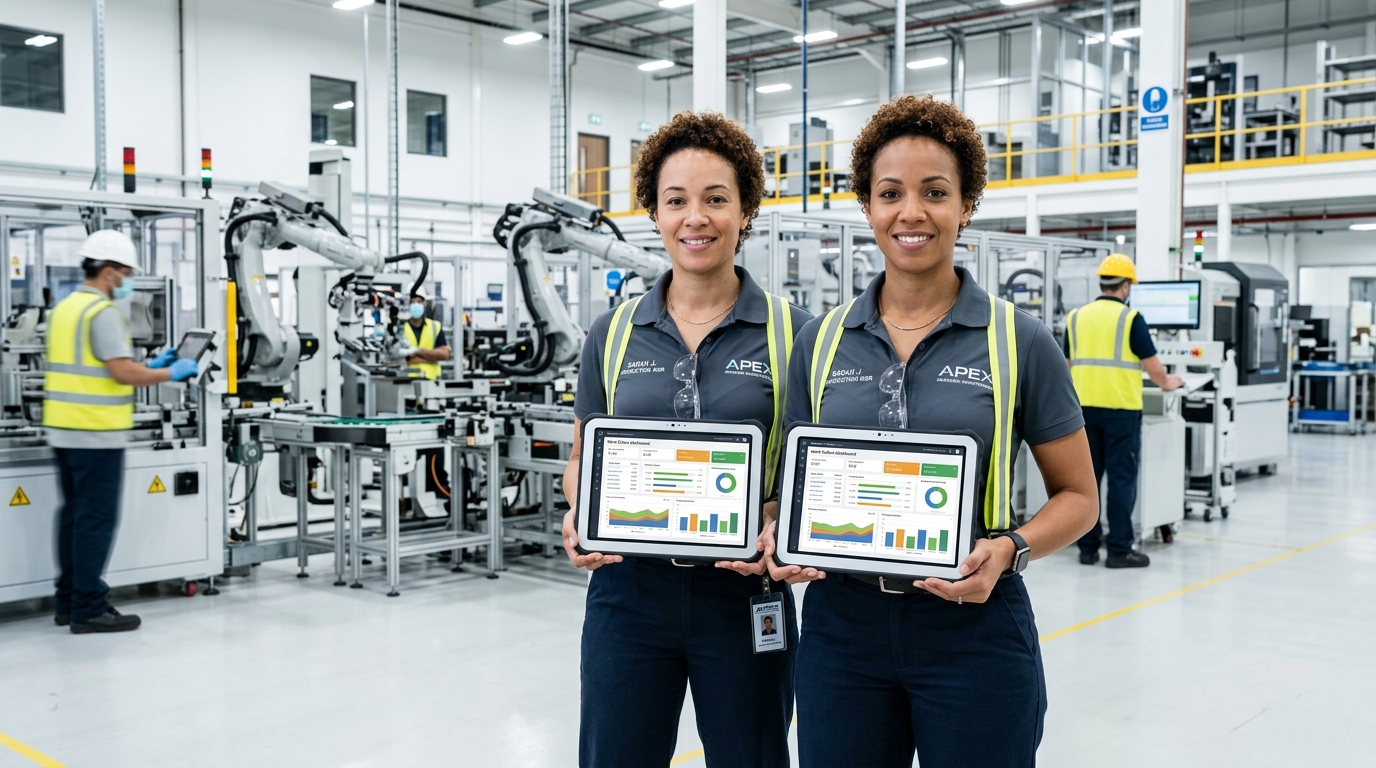
Parametric dimension formulas (Fixed, Linear, Area, Volume), real-time raw material batch depletion, 1-click Shortage PO generation, scannable job cards, and QC inspection pass/rework routing.
See PorulHub in Action
Watch a complete walk-through of the POS billing speed, inventory automation, and reporting features.
Experience the Enterprise Console
Test-drive the interactive console below. Switch tabs to see POS Billing, Analytics Dashboards, Supplier Auto-POs, and Returns Claims.
Hourly Sales Tracker (Simulated)
⚠️ Low Stock & Expiry Alerts Threshold < 20 units
| Item | Current Stock | Status | Supplier |
|---|
Excel Report Center
Formulate and export complete local transactional data directly into pre-styled spreadsheet workbooks.
📋 Report Specifications
⚡ Automated Replenishment (Auto-PO)
Automatically matches products below warning threshold to their bound supplier and generates distinct purchase orders.
| Product Name | Current Stock | Safety Limit | Reorder Qty | Supplier |
|---|
💼 One-Click Inwards & Quotations
Quickly process distributor quotes into stock count or load active customer drafts.
🛡️ Supplier Claims Manager (Expiry & Damage)
Select expired batches (in pharmacy mode) or broken appliances (in IT mode) to process supplier credit debit notes.
| Product / Batch | Expiry Date | Defective Qty | Status | Action |
|---|
Debit Note Preview
No active claim generated.
Click "File Supplier Claim" on the left to generate the credit recovery Debit Note.
🪑 Interactive Table Floor Plan
Live dine-in floor occupancy. Click a table to view active bill or launch Customer QR Menu.
👨🍳 Kitchen Display System (KDS)
Real-time cook station board with live prep timers & auto-chimes📜 Dynamic Bill of Materials (BOM Component Tree)
Formula: Volume (W × H × T)Raw material consumption scaled dynamically to actual dimensions with scrap percentages.
| Component / Raw Material | Scaling | Base Qty | Required Batch Qty | Scrap % | Est. Cost |
|---|
Solid Teak Door (Batch of 10)
Built for Your Specific Industry
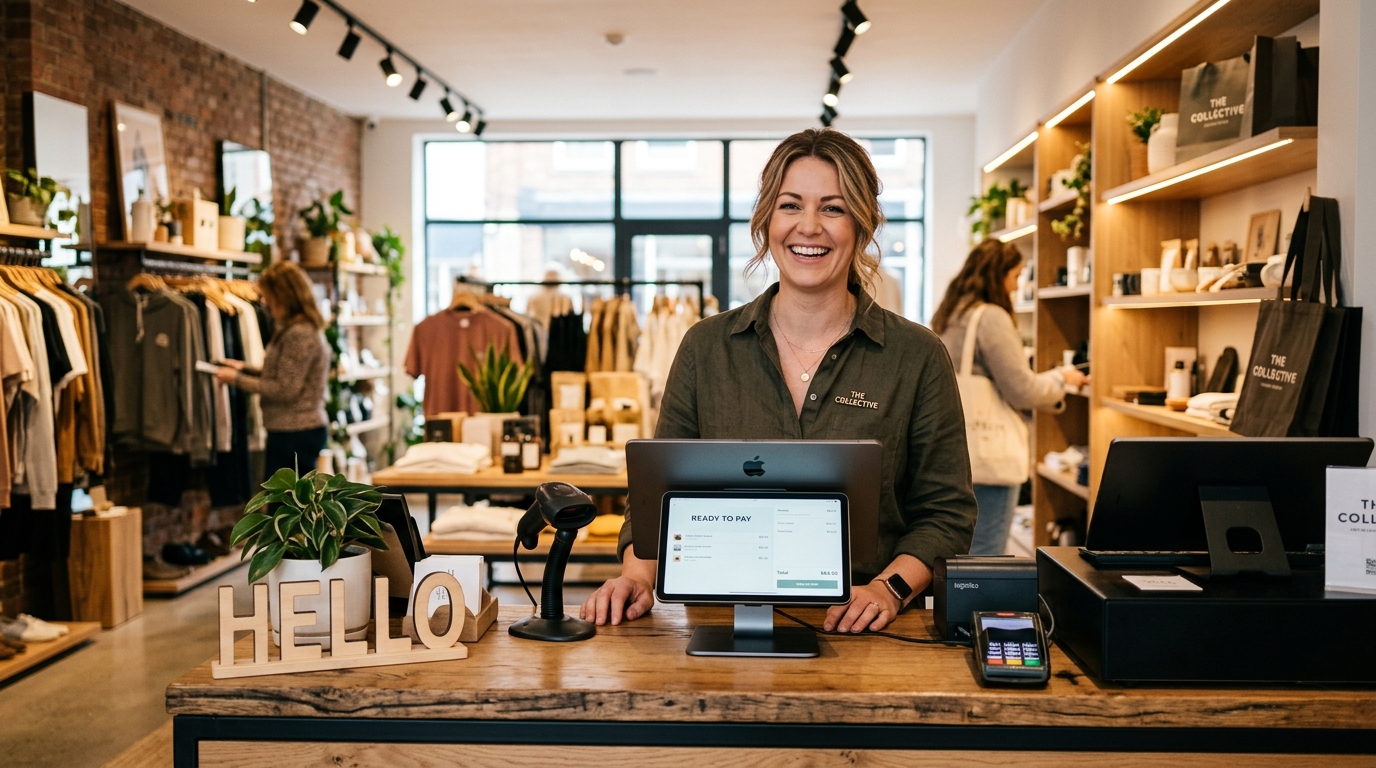
Why purchase specialized software? PorulHub configures dynamically with tailored presets for different domains.
Billing Only Mode
POS OnlyTailored for businesses needing quick point-of-sale transactions without the overhead of inventory ledger tracking, reorder thresholds, or inward purchase logs.
| Service/Item | Qty | Price | Tax | Total |
|---|---|---|---|---|
| Quick Service Item | 1 | ₹250.00 | 18% | ₹295.00 |
| General Retail Good | 3 | ₹100.00 | 5% | ₹315.00 |
- High-speed billing desk layout optimized for immediate receipt generation
- Requires zero stock verification; enter items directly with custom unit prices
- Lightweight offline file setup with instant receipt printer routing
- Ideal for temporary stalls, exhibitions, services, or basic POS desks
International Localization & Compliance
No matter where your shop operates, PorulHub adapts to your country's local currency, languages, and tax laws.
Multi-Currency Engine
Process payments, track inventory values, and export accounting ledgers in USD ($), EUR (€), GBP (£), INR (₹), AUD ($), CAD ($), or any custom regional currency.
Adaptive Taxation
Configure tax rates dynamically. Pre-loaded compliance schemas for US State Sales Tax, European/UK VAT, Indian GST, and general custom tax structures.
Multi-Language Receipts
Print thermal billing receipts and invoices in local scripts, including Unicode, Arabic (RTL support), Spanish, French, Hindi, Tamil, Telugu, and Kannada.
GDPR & Privacy Compliant
Because PorulHub operates 100% offline on your local machine, your data is secure. GDPR and HIPAA compliance is inherent as no customer records are ever uploaded to cloud servers.
Zero-Touch Keyboard Checkout
PorulHub is designed for professional operators. Test the keys below or try using them on your physical keyboard!
Standard POS Operations
Core System Navigation
Domain Adapters & Ledger
Application Screenshots
Get a closer look at the actual PorulHub application interface. Click any image to view it full screen.
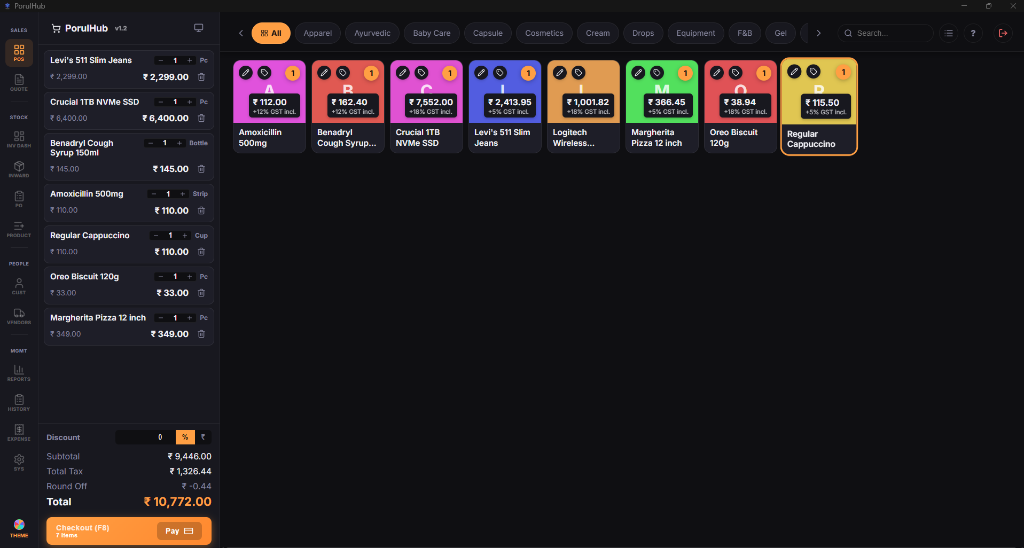
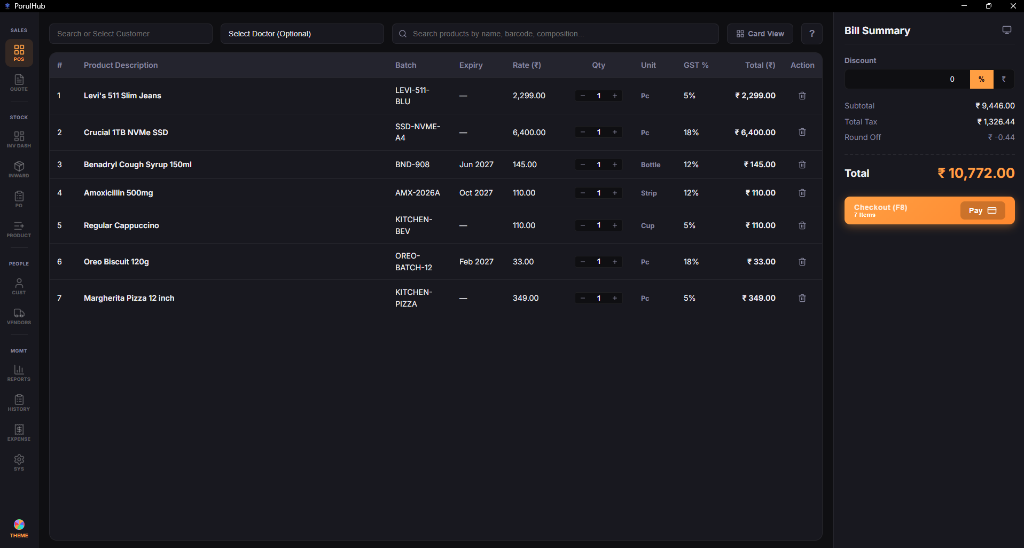
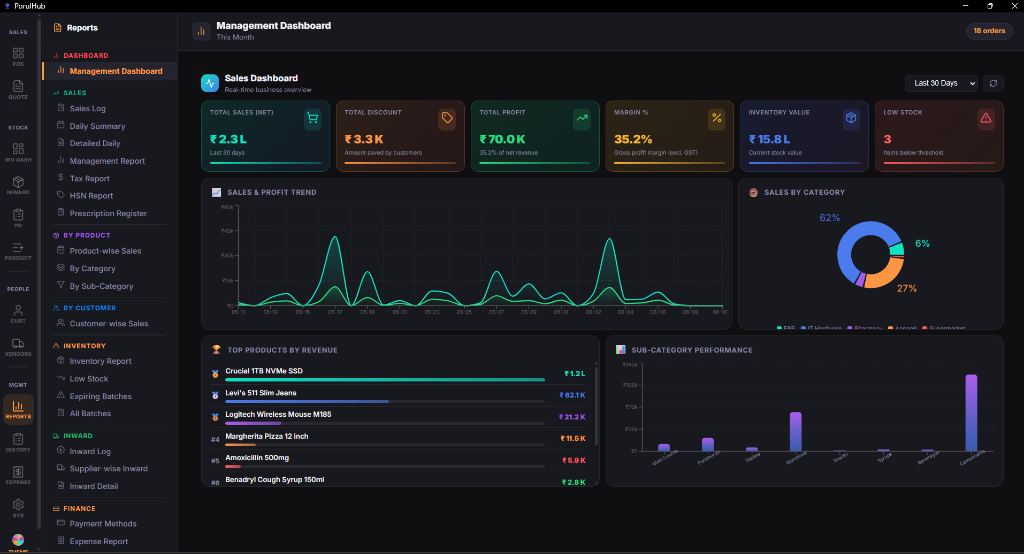
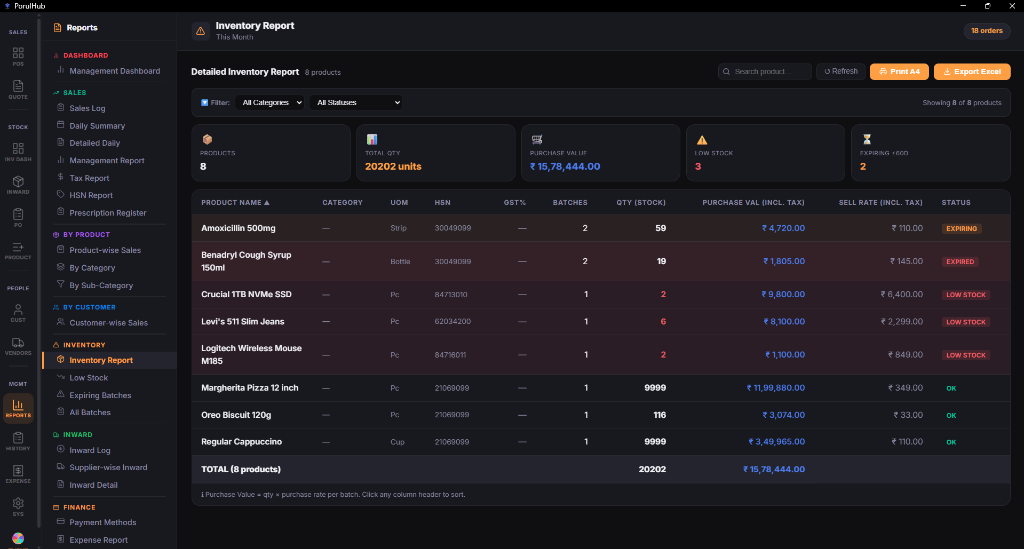
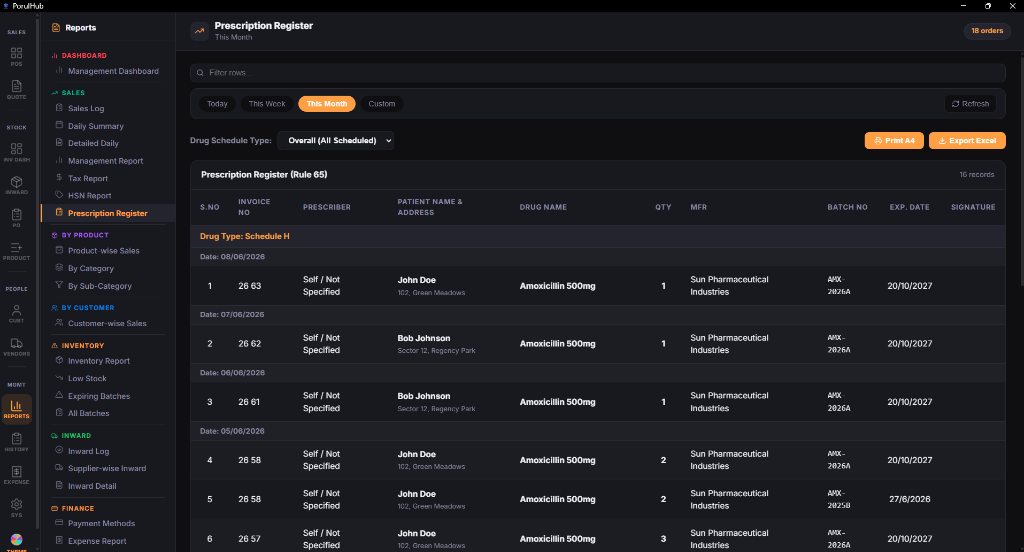
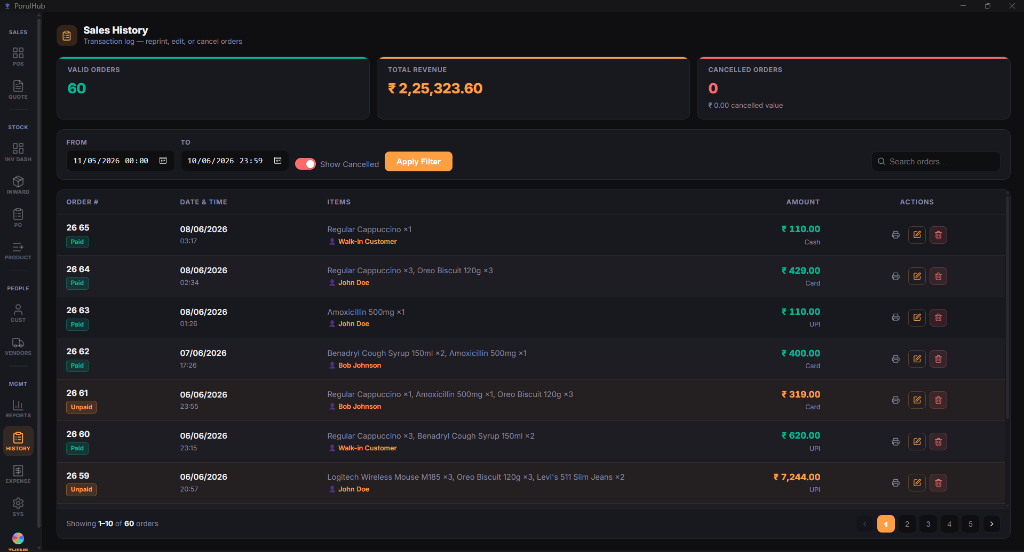
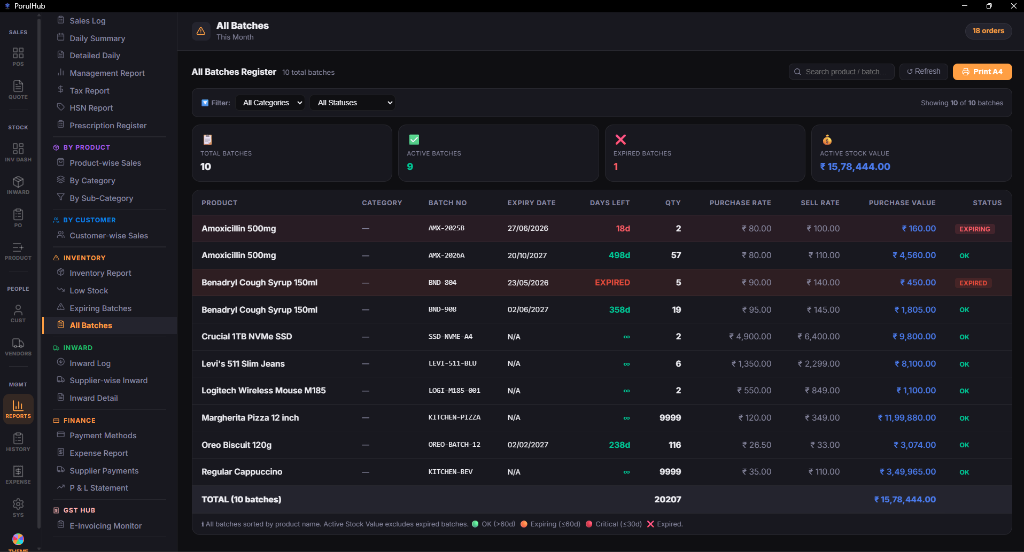
 POS LOGIN.png)
 POS CUSTOMER.png)
 POS MULTI SUPPLIER PO.png)
 POS RECEIPT.png)
 Sales - Daily Summary.png)
 Sales - HSN Report.png)
 Fianance - P&L.png)
 E-Invoicing Monitor.png)
Perpetual License Tiers for Growing Stores
Save 20% today. Invest once in a perpetual lifetime license with local maintenance support.
PorulHub Lite
Essential Billing Desk
- Unlimited POS Checkout Bills
- Full Keyboard Shortcuts Engine
- Custom Receipt Layout Designer
- 100% Secure Local Database
- ❌ No Inventory Stock Tracking
- ❌ No GST / GSP E-invoicing QR Codes
- Single-terminal license only
PorulHub Pro
Complete Inventory Manager
- Includes all Lite Features
- Expiry & Safety Limit Warnings
- Complete CGST/SGST/IGST Tax Billing
- Government GSP e-invoicing QR Codes
- Auto Purchase Orders & Debit Notes
- Pre-styled Excel GSTR Reports
- Single-terminal license only
PorulHub Team
Collaborative Store Network
- Includes all Pro Features
- Sync Counters over Local Wi-Fi
- Mobile & Waiter Tablet Ordering
- Diner Tables & Kitchen Display Sync
- Unlimited billing terminals locally
- Priority Technical Setup Support
- 24/7 Telephone Assistance
* Lifetime licenses include 1 Year of Free Technical Support & Version Upgrades. After Year 1, an optional Annual Maintenance Contract (AMC) is available to receive ongoing support and updates (Lite: ₹999/yr, Pro: ₹1,999/yr, Team: ₹3,999/yr).
Branded USB Drive Delivery
Get PorulHub pre-loaded on a premium, plug-and-play USB drive shipped directly to your shop address.
Migration & Catalog Service
Our database experts will parse your old Excel invoices or price lists and import them into your local database.
Billing & Inventory Software FAQ
Find quick answers to common questions about our billing app, local deployment, and inventory features.
What is the difference between POS Card View and Classic View?
PorulHub offers two layout modes to suit your checkout style:
• Card View (Grid Layout) is optimized for touchscreens and mouse clicks, featuring visual product grids and quick category filter tabs. It is ideal for cafes, clothing boutiques, and stores with a visual catalog.
• Classic View (List Layout) is a high-density, text-first view optimized for rapid barcode scanning and 100% mouse-free keyboard checkout (using keys like F2 to F9). It is ideal for high-volume pharmacies, supermarkets, and distributors.
What is the best offline billing app for retail and pharmacies?
PorulHub is a premium, zero-config offline billing app designed specifically for fast-paced retail shops, grocery stores, pharmacies, textile outlets, and restaurants. By running 100% locally from your machine (or even a USB drive), it eliminates internet dependency and page load delay, making it one of the fastest and most secure POS systems available today.
Why is PorulHub a popular billing app and inventory software in India?
PorulHub has become a highly popular billing app and offline inventory software in India because of its zero-config setup and plug-and-play simplicity. Shipped directly on a secure USB drive, it eliminates expensive monthly cloud subscriptions, requires no internet connection, and comes with specific presets for Indian retail verticals—making it the best offline POS choice for pharmacies, textile shops, electronics showrooms, and restaurants.
How does PorulHub compare to Tally, Zoho, SAP, or Busy accounting software?
Unlike enterprise systems like Tally Prime, Zoho Books, SAP Business One, or Busy accounting software which are often complex to learn, require cloud dependencies, or enforce high monthly licensing costs, PorulHub is a fast, simplified offline billing app. It is built specifically for checkout desks where speed is critical. Offering zero internet latency, plug-and-play local installation, automated low-stock POs, and simplified GST billing, it serves as the ideal alternative for retail cashiers who want control without the overhead of heavy accounting ERP systems.
How can I submit a software enquiry for custom layouts?
We would love to help you! You can make a software enquiry by clicking our dynamic WhatsApp button or by sending us an email. For customers in India, please chat with us on WhatsApp at +91 93601 69736 or email posindia@techfics.com. For all other countries, please contact our global support team on WhatsApp at +60 1 22 85 6543 or email posglobal@techfics.com. Our developers look forward to assisting you with catalog migrations, bespoke receipt layout designs, and custom features tailored to fit your store's exact workflow requirements.
Does this inventory software support automatic purchase orders and debit notes?
Yes, PorulHub is a fully-equipped inventory software. It monitors stock levels in real-time and alerts cashiers when items fall below custom safety limits. It can auto-generate supplier-specific Purchase Orders (POs) and automatically drafts debit notes for expired or damaged batches to streamline your claims recovery process.
Is PorulHub compliant with GST e-invoicing and GSTR reporting?
Absolutely. PorulHub is built for Indian business compliance. It calculates SGST, CGST, and IGST automatically, renders government-compliant IRN QR codes directly on receipts, and exports pre-styled Excel reports that map directly to standard GSTR filing templates.
Can multiple terminals access the local inventory database?
Yes. With our Team plan, other machines, billing terminals, or waiter tablets connected to the same local Wi-Fi network can instantly connect to the host computer's database by browsing to the host's local IP address and port (e.g., http://localhost:8004).
How does the Restaurant Customer QR Ordering and Kitchen Display System (KDS) operate offline?
PorulHub hosts a lightweight, high-speed local HTTP server directly on your main billing PC. Diners connect to your restaurant's local Wi-Fi, scan the table QR code on their smartphones, and instantly load your digital menu with live prices and cooking notes—no external internet or app download required! Kitchen screens (KDS) running on tablets or monitors receive orders in real time with color-coded preparation countdown timers, station routing (hot kitchen vs bar), audible chimes, and automatic bill merging upon staff confirmation.
How does Work Order Management with parametric Bill of Materials (BOM) work?
PorulHub includes a complete discrete manufacturing and assembly MRP engine. You can define parametric product models with dimensional scaling formulas (Fixed, Linear, Area, Volume, Custom Formula) that automatically calculate raw material quantities and scrap percentages based on custom customer dimensions (W × H × T). Work orders track floor progress through customizable multi-department routing (Cutting, Pressing, Finishing, QC, Packaging), generate 1-click Shortage Purchase Orders for missing stock, log QC inspections, and automatically ingest finished goods batches with 1-click delivery invoicing.
क्या यह बिना इंटरनेट (Offline) चलने वाला बिलिंग सॉफ्टवेयर है? (Is this offline billing software?)
हाँ, PorulHub पूरी तरह से एक ऑफलाइन बिलिंग सॉफ्टवेयर (Offline Billing Software) है। इसे चलाने के लिए इंटरनेट की आवश्यकता नहीं होती है। आपका सारा डेटा आपके कंप्यूटर या USB ड्राइव पर ही सुरक्षित रहता है, जिससे डेटा चोरी होने का कोई खतरा नहीं रहता और बिलिंग बिना किसी रुकावट के बिजली की गति से होती है।
பொருள்ஹப் பில்லிங் சாஃப்ட்வேர் எந்தெந்த வணிகங்களுக்கு ஏற்றது? (Which businesses is PorulHub for?)
PorulHub பில்லிங் சாஃப்ட்வேர் (Billing App) அனைத்து வகையான சில்லறை வணிகங்களுக்கும் (Retail Shops) ஏற்றவாறு வடிவமைக்கப்பட்டுள்ளது. இதில் மருந்தகங்கள் (Pharmacy Mode), ஜவுளிக்கடைகள் (Textile & Apparel), எலக்ட்ரானிக்స్ மற்றும் வீட்டு உபயோகப் பொருட்கள் (IT & Electronics), உணவகங்கள் (Food & Beverage) போன்ற பல்வேறு வணிகங்களுக்குத் தேவையான தனித்தனி மென்பொருள் அமைப்புகள் (Presets) உள்ளமைக்கப்பட்டுள்ளன.
జీఎస్టీ ఇన్వాయిస్ మరియు ఇన్వెంటరీ మేనేజ్మెంట్ సాఫ్ట్వేర్ సపోర్ట్ ఉందా? (Does it support GST & Inventory?)
అవును, PorulHub పూర్తి స్థాయి జీఎస్టీ బిల్లింగ్ మరియు ఇన్వెంటరీ మేనేజ్మెంట్ సాఫ్ట్വേర్ (GST Billing & Inventory Software). ఇది CGST, SGST మరియు IGST గణనలను సులభతరం చేస్తుంది. అలాగే, తక్కువ స్టాక్ ఉన్నప్పుడు (Low Stock Alert) లేదా గడువు ముగిసే బ్యాచ్లు (Expiry Batches) ఉన్నప్పుడు హెచ్చరిస్తుంది, మరియు సప్లయర్లకు డెబిట్ నోట్స్ (Debit Notes) ఆటోమేటిక్గా జనరేట్ చేస్తుంది.
ಸಾಫ್ಟ್ವೇರ್ ವಿಚಾರಣೆ (Software Enquiry) ಮತ್ತು ಉಚಿತ ಡೆಮೊ ಪಡೆಯುವುದು ಹೇಗೆ? (How to get software demo?)
PorulHub ಉಚಿತ ಡೆಮೊ ಮತ್ತು ಸಾಫ್ಟ್ವೇರ್ ವಿಚಾರಣೆಗಾಗಿ (Software Enquiry) ನೀವು ನಮ್ಮ ಅಧಿಕೃತ ವಾಟ್ಸಾಪ್ (+91 93601 69736) ಮೂಲಕ ನೇರವಾಗಿ ಚాట్ ಮಾಡಬಹುದು ಅಥವಾ posindia@techfics.com ಗೆ ಇಮೇಲ್ ಕಳುഹಿಸಬಹುದು. ನಮ್ಮ ತಾಂತ್ರಿಕ ತಜ್ಞರು ನಿಮ್ಮ ಹಳೆಯ ಎക്ಸೆಲ್ ಬಿಲ್ಗಳನ್ನು ಸುಲಭವಾಗಿ ವರ್ಗಾಯಿಸಲು ನೆರವಾಗುತ್ತಾರೆ.
ബില്ലിംഗ് മെഷീൻ്റെയും സോഫ്റ്റ്വെയറിൻ്റെയും വില എത്രയാണ്? (What is the price of the billing software?)
PorulHub ഏറ്റവും കുറഞ്ഞ നിരക്കിൽ ലഭ്യമായ റീട്ടെയിൽ ബില്ലിംഗ് സോഫ്റ്റ്വെയർ (Retail Billing App) ആണ്. ഞങ്ങളുടെ ലൈഫ് ടൈം ലൈസൻസുകൾ (Lifetime License) ₹4,999 മുതൽ ആരംഭിക്കുന്നു. കൂടാതെ ഇൻവെന്ററി ട്രാക്കിംഗും ജിഎസ്ടി ഇ-ഇൻവോയ്സിംഗും അടങ്ങിയ പ്രോ പ്ലാൻ (Pro Plan) ₹9,999 നിരക്കിൽ സ്വന്തമാക്കാം.
Quick Start & Setup Instructions
Set up PorulHub on your terminal or local computer in less than a minute.
Request PorulHub Desktop Console
Get the lightweight, zero-dependency offline installer. Built for speed, high-density keyboard billing, and local data sovereignty.
📥 Request Offline App (ZIP) MD5 Checksum:8b5f3a09e083c...18f3
Extract the ZIP File
Extract `PorulHub_Portable.zip` into a permanent directory on your machine (e.g. `D:\PorulHub\`). Do not run from inside the ZIP file.
Launch the Server
Double-click **`run_PorulHub_app.bat`** in the extracted directory. This fires up the local python web server on port `8004` and opens a distraction-free Edge App Kiosk window.
First-Time Login
Log in using the default credentials. We strongly advise updating this password immediately in Settings → Users.
trialtrial123Initialize Your Settings
Go to Settings ⚙️ to customize your business mode, logo, GST numbers, and printer layouts. Then populate products and start billing!
Network Sharing
Want to run POS bills from a tablet or separate terminal? Other machines on the same local Wi-Fi can open the app by navigating to:
The active Server IP is printed in the command terminal window upon startup.
Troubleshooting Conflict Ports
If you get a "port already in use" conflict or connection refused, run the clean force script to purge stuck processes:
Killing stuck Python backends on port 8004...
Terminating billing database handles...
Restarting PorulHub Client cleanly... [OK]
About PorulHub & Techfics
Developing high-performance, offline-first local ERP utility software that puts privacy, control, and speed back in your hands.
We believe in local-first sovereignty.
PorulHub is designed and maintained by Techfics Pvt. Ltd., a team dedicated to engineering software that operates independently of volatile cloud connections. Our offline-first architecture guarantees your cash register never stops, even during network blackouts.
With over 7 years of desktop and mobile POS development experience and 1,500+ successful installations worldwide, we build software that stays fast, requires zero server setup, and stores your records 100% locally and securely.
Privacy First
No databases are hosted on remote clouds. Your data stays on your machine.
Lightning Execution
Offline local processing provides instant screen rendering and billing speeds.
Double Backup Shield
System preserves transaction logs using automated local directory backup cycles.
Partner with Us
Grow your business by helping local stores implement modern billing and inventory setups.
License Reseller
Sell PorulHub desktop licenses to local pharmacies, retail stores, and supermarkets in your area. Earn highly attractive commissions on every software installation and setup.
Integration & Hardware Partner
Integrate your custom weighing scales, barcode scanners, kitchen display screens (KDS), or customized receipt layout formats with the PorulHub offline core engine.
Contact Us
Have queries about deployment, features, or custom builds? Get in touch with our engineering team directly.
🇲🇾 Malaysia Office (HQ)
Techfics Sdn Bhd (Regn No: 1342450-T)
Level 31, Q Sentral, 31-BC-07,
Jalan Stesen Sentral 2, 50470 KL Sentral,
WP Kuala Lumpur, Malaysia.
- 📞 Phone: +60 1 22 85 6543
- 💬 WhatsApp: +60 1 22 85 6543
- ✉️ Email: posglobal@techfics.com
🇮🇳 India Office — Bangalore
TECHFICS PRIVATE LIMITED (CIN: U72900KA2019PTC126799)
G001, Peony Middle Mist, K Dommasandra Post,
Belathur Main Road, Bangalore,
Karnataka – 560049, India.
- 📞 Phone: +91 93601 69736
- 💬 WhatsApp: +91 93601 69736
- ✉️ Email: posindia@techfics.com
🏢 India Regional Offices
Ramamurthy Avenue, Sakthi Nagar,
Porur, Chennai — 600116
No 60, North Car Street,
Tenkasi — 627811
 GST COMPLIANT